Short answer
The best Endacopia tips are to test the three action modes on anything suspicious, record clues when they appear, save whenever a wandering save point is available, and ask Tip before guessing. Use the inventory through Mellow when an object clearly needs another item, and do not assume that a code copied from a different run belongs to your current clue. In combat, block the incoming direction first and attack only after the enemy lowers its guard.
Endacopia mixes point-and-click investigation with keyboard movement, item use, minigames, and first-person brawls. The collected walkthrough says players can approach chapter areas in different orders, so a blocked object may belong to another route rather than being an immediate puzzle. Explore at a steady pace, note unfinished interactions, and return when a conversation or collected item gives the missing context.
Tip is also a real hint system inside the game rather than just a character name. The captured character page says he follows Mellow after the early descent and can be spoken to in most rooms once Mellow has recovered his mouth. His advice can point toward a puzzle, fight, or current objective without requiring a full solution from an external walkthrough.
A useful first pass through any room is to look before touching, then talk before spending an inventory item. The three modes exist because observation text, character dialogue, and physical interaction can reveal different parts of the same problem. If none of them produces progress, leave a note and continue exploring instead of forcing an unrelated object into the scene.
Learn the action and inventory controls
The captured walkthrough maps the core interaction loop to mouse and keyboard. Mouse button two cycles through look, touch, and talk, while mouse button one performs the selected action on the current object or character. Use WASD for movement, and expect the same movement keys to appear in some quick-action sequences.
Click Mellow when you need to open the inventory, then choose the item you want to carry into the next interaction. An inventory object is not a universal answer, so first read the room and decide whether the target calls for looking, touching, talking, or using an item. This order reduces random combinations and makes it easier to recognize when the game is waiting for a clue from elsewhere.
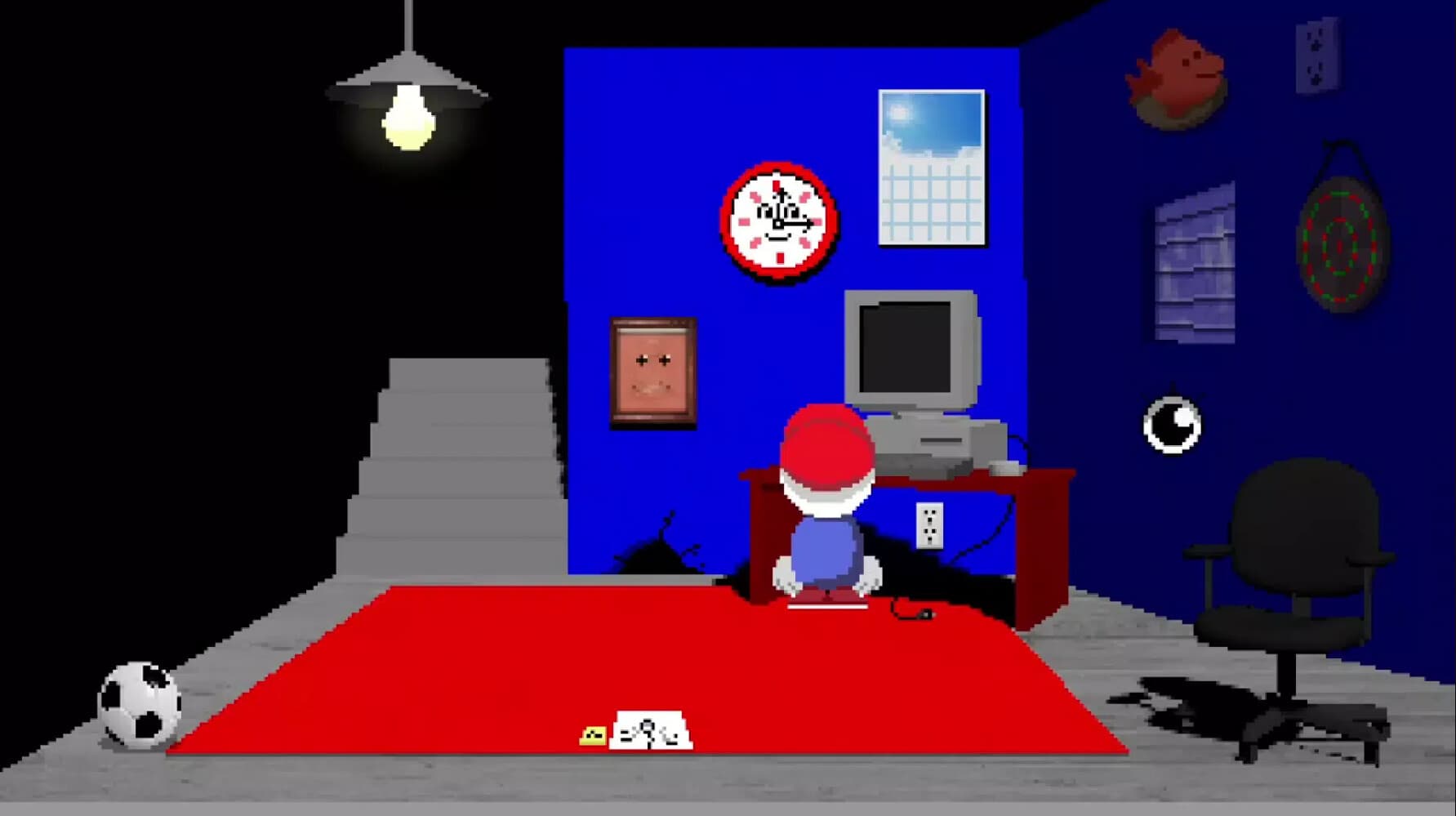
The demo playthrough shows why repeated observation matters. Spinning the chair reveals a route into the vents, while ordinary-looking background objects can react when clicked or spoken to. Treat descriptive text and unusual animation as information, but avoid assuming that every moving detail is required for the main route.
Some transitions temporarily change the control style, particularly minigames and first-person encounters. Read the prompt shown when that change begins and test one input at a time before reacting quickly. A key that moves Mellow during exploration may serve a more immediate directional action inside a timed sequence, as the captured walkthrough notes for quick-action moments.
Explore without losing your place
The walkthrough describes Endacopia as chapter-based while still allowing areas to be visited in different orders. Make one pass through every accessible room, speak to available characters, and note doors or objects that do not yet respond. When a new item or conversation changes the situation, revisit that short list instead of searching the entire game again.
Save when you encounter a wandering save point, especially before a minigame, enemy, or choice that looks difficult to reverse. The collected walkthrough reports that the game uses one save file, so careless overwriting can remove a useful recovery point. The exact behavior of backups outside the game is To be confirmed by the material for this page, so this guide does not invent a save path or promise a restore method.
Codes deserve the same discipline as inventory items. In the demo footage, a secret learned after helping the figure behind the drawing is carried to another interaction, showing that the clue and prompt can be separated by several rooms. Write down the evidence you actually see and preserve its spelling instead of publishing or reusing an unsupported universal password.
Area freedom does not mean every route can be completed on the first visit. The walkthrough explicitly says different players may navigate locations in different orders, so temporary uncertainty is part of the structure. Finish the interactions supported by your current items, save, and move to another open path before deciding that an unavailable door or silent character is broken.
Use Tip and survive first-person fights
Ask Tip after a new objective appears or when an explored room stops producing progress. In the recorded demo, he points Mellow toward a strange bathroom sound and later explains that the kitchen can be reached through the vents. His hints narrow the next action while still leaving the player to inspect the room and perform it.
For first-person combat, right-click blocking is the foundation shown in the collected playthrough. Enemies can attack from different directions, so react to the incoming side and keep the guard ready rather than rushing to deal damage. When the enemy clearly lowers its guard, use the left mouse button to strike during that opening.
Do not swing continuously, because the same recorded explanation warns that uncontrolled punches tire Mellow out. A safer rhythm is observe, block, wait for the exposed state, attack, and reset for the next cue. If inputs appear to fail even when that rhythm is correct, stop repeating the fight and use the linked fight-input support page for diagnosis.
The combat tutorial also makes the enemy's opening more important than an always-visible health calculation. Tip tells Mellow that the correct attack moment will be obvious, then lets the player practice the defensive rhythm. This guide therefore avoids inventing damage values, stamina totals, or a fixed number of punches for encounters that the collected tips do not quantify.
What the collected tips do and do not confirm
The useful material comes from a captured walkthrough, a community profile for Tip, and a recorded demo playthrough. Advertising blocks, cookie controls, navigation lists, unrelated recommendations, and repeated page furniture were removed. The old community banner predicting a 2024 publication window was also discarded because it predates the released game context.
The walkthrough says keyboard and mouse are the intended controls and reports no controller support at the time it was captured. That statement sits beside later platform information elsewhere on the site, so current controller behavior is To be confirmed for this tips page. Use the dedicated Steam Deck page for current device-specific setup instead of treating the older walkthrough sentence as a permanent platform rule.
The recorded demo ends at an old Kickstarter prompt and therefore does not establish the size or final route of the full release. Its control demonstrations, Tip conversations, vent discovery, inventory exchange, and basic combat tutorial remain useful because they are visible in the footage. Any later boss timing, fixed code, or release-only route not shown by these sources is omitted or left To be confirmed.